


Word Roll
4.97.77K Reviews
App Specs
- Version
- 1.344
- Updated On
- License
- Free
- Downloads
- 1,000,000+
- Developer
- PlaySimple Games
- Categories
- Word
- Platform
- Android, iOS
Screenshots
 Analysis by AppCompare
I usually judge a word game by a simple question: does it give me a satisfying puzzle in a short break, or does it ask for more time and attention than I want to give? Word Roll suits the first kind of session. It is a free word game from PlaySimple Games, and its letter-tile puzzles make vocabulary the main tool rather than a side feature. I find that focus appealing when I want to think for a few minutes without committing to a long story or a complex ruleset.
The game is rated for Everyone, so it can be a reasonable choice for families looking for a word-based activity. Its average rating is 4.9 from around 72,000 ratings, and it has more than 1 million installs. Those figures suggest broad interest, but they do not tell you whether its style will click with you. The more useful question is whether you enjoy spotting words in a changing grid and weighing which choices are worth making.
Getting Started with Word Roll
First things first, downloading the app is a breeze. Whether you’re an Android enthusiast or an iOS devotee, Word Roll is just a click away on your app store. Once installed, you’ll be greeted by a clean and inviting interface. It’s not cluttered with unnecessary features, which I totally appreciate. Simplicity is key, right?
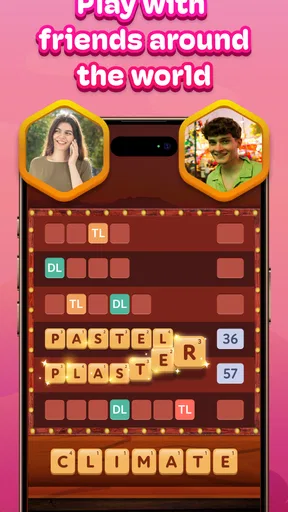
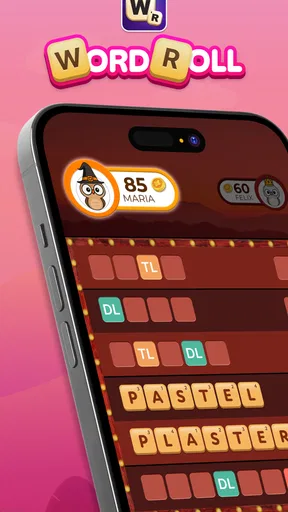
The game’s premise is simple yet intriguing: you have to form words by rolling letter tiles. Sounds easy? Well, it gets trickier! The challenge lies in the limited moves you have to create as many words as possible. It’s like a gym for your brain, only more fun and less sweaty.
Diving into Gameplay
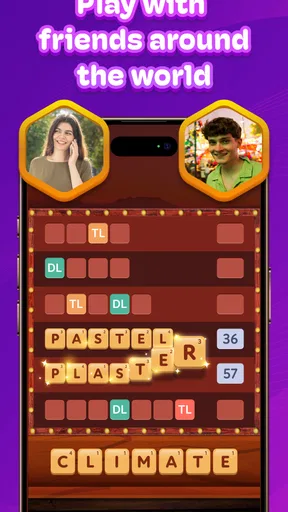
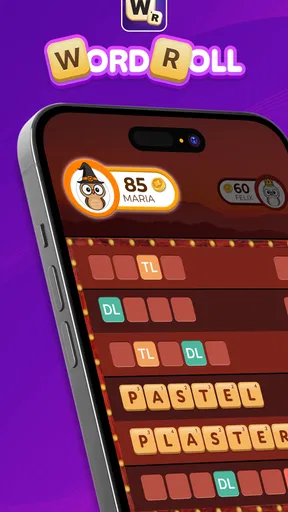
Let’s talk about the gameplay. You start with a grid of letter tiles. Your task is to connect these tiles to form words. The longer the word, the higher the score. What I love about this is the strategic element; you need to think a few steps ahead, much like a game of chess. Only here, you’re armed with a vocabulary instead of pawns and knights.
The game has multiple levels that gradually increase in difficulty. At first, it’s all fun and games, but as you progress, you’ll find yourself scratching your head more often. It’s incredibly satisfying to finally spot that elusive word after staring at the screen for a few minutes.
Choosing the Right Kind of Word Puzzle
That combination of a grid, connected letters, and limited moves is what separates this from a basic word-search puzzle. In a word search, I can scan for hidden terms without much concern about what each choice does to the board. Here, I get more value from pausing to inspect the available letters before committing. A longer word can be rewarding, but I would not automatically choose it if a shorter one leaves better possibilities for the next move.
Worth Reading Before You Choose

EA SPORTS FC Mobile 26 Is a Bigger Football Game, but It Takes Time

Flipboard Shows What News Apps Must Do Beyond the Feed

Switching to Android Auto Means Rethinking Your Driving Routine

Google Calendar Makes a Crowded Week Easier to Manage

Ludo King Makes the Most of the Minutes Between Plans

Baby Panda World Brings Quick Play to Modern Phones, but Its Game Library Feels Busy
One practical habit is to look for several candidate words before selecting any tiles. I find that this reduces the feeling of being stuck after an impulsive move and makes the puzzle feel more deliberate. If I am playing casually, I can still make quick choices; when a level becomes demanding, taking a moment to compare options is the better use of my attention. That small change in approach can make the limited-move constraint feel like a strategy prompt instead of a punishment.
This also makes the game a better fit for someone who likes word puzzles with a little planning than for someone who only wants to test vocabulary in isolation. If your favorite format is a crossword, where clues guide you toward specific answers, the open-ended search here may feel less structured. If you enjoy finding patterns and adapting as a board changes, the tile-based approach has more immediate appeal.
Visuals and Sound
The visuals are pleasing without being overwhelming. The colors are easy on the eyes, and the animations are smooth. It’s important for a game like this to have a calming aesthetic, and Word Roll nails it. The sound design is subtle but effective. The gentle clicks and pops when you select letters add a tactile feel to the experience.
That restrained presentation helps in situations where I do not want a game competing with everything around me. A short session while waiting for a drink or sitting through a quiet commute is a natural use case: I can focus on the grid, make a few moves, and put the phone away without needing to follow a lengthy plot. I would still treat it as a game that rewards attention, rather than something to play while crossing a street or handling another task. The board calls for enough thought that distracted tapping can waste moves.
Why You’ll Keep Coming Back
Here’s the thing about Word Roll: it’s addictive in the best possible way. The sense of accomplishment when you beat your high score or complete a particularly tough level is genuinely rewarding. Plus, it’s a fantastic way to expand your vocabulary. I’ve learned a few new words myself!
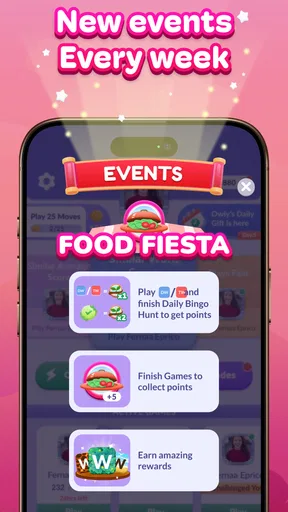
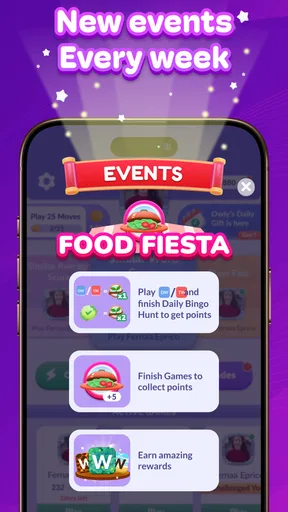
The game also offers daily challenges and events that keep things fresh. It’s like having a new puzzle to solve every day, which keeps the monotony at bay. Trust me, this game is perfect for those moments when you need a quick mental boost.
The daily format makes it easy to turn a spare moment into a small routine, but I would not make that routine feel like an obligation. If I have only a couple of minutes, I can treat a challenge as a brief change of pace; if I have more time, the increasing difficulty gives me a reason to linger. The useful trade-off is that a recurring puzzle can add variety, while a player who prefers entirely self-directed play may not care about daily prompts or events.
For a realistic everyday example, I might open it during a lunch break, scan for promising combinations, and stop after a level rather than letting the session take over the break. The game works best when I approach each board with a modest goal: find a strong word, consider what the move leaves behind, and enjoy the solve. That is more satisfying than rushing simply to make the longest word every time.
Cost, Compatibility, and What to Expect
The game is free to download, with in-app purchases ranging from $0.99 to $99.99 per item. I would start without spending and see whether the regular puzzle loop is enough for me. Optional purchases can change how much a player spends, so it is sensible to check the purchase screen carefully before confirming anything, especially if a child is playing. The core decision is straightforward: enjoy the game on its free terms first, then decide whether any paid option is worth it to you.
Word Roll is currently at version 1.318 and requires Android 10 or later on Android devices. That minimum matters if you are considering installing it on an older phone: check the device’s operating system before planning to play. It was released on November 12, 2020, and its continued presence among word games gives it a familiar, established feel rather than the impression of a brand-new experiment.
Switching from another word game should be easy in the practical sense that the central activity is clear: work with letters, form words, and think about your next move. The harder part is preference. A player used to clue-led crosswords may miss having a defined answer to pursue, while someone who likes broad word searches may find the limited moves create welcome tension. I would try it as a complementary option before replacing a favorite; the formats scratch different itches.
Final Thoughts
So, should you give Word Roll a shot? Absolutely! It’s a delightful mix of fun and brain exercise, wrapped up in a neat little package. Whether you’re a word game veteran or a newbie, there’s something here for everyone. The app is free to download, though there are in-app purchases if you want to unlock additional features or levels.
I would especially recommend it to players who like connecting letters, enjoy a little forward planning, and want a puzzle that can fit into short breaks. I would steer away if you strongly prefer clue-based answers, dislike making choices under a move limit, or want a game that asks for almost no concentration. In those cases, a crossword or a relaxed word search may be a better match, not because one format is objectively better but because it gives you a different kind of challenge.
In a world full of mindless games, Word Roll stands out as a refreshing change. It challenges you, entertains you, and keeps you coming back for more. So, go ahead, give it a spin, and see how many words you can roll into existence!
Pros
- Intuitive interface for easy navigation.
- Rich collection of word games.
- Customizable difficulty levels.
- Offline mode available for travel.
- Regular updates with new puzzles.
Cons
- Contains in-app advertisements.
- Limited free content.
- Requires internet for some features.
- Occasional app crashes reported.
- No multiplayer mode available.
FAQs for Word Roll
What is Word Roll and how does it work?
Word Roll is an engaging word puzzle game available for both Android and iOS devices. The game challenges players to form words by rolling letter dice within a set time limit. Each round presents a new challenge, encouraging users to enhance their vocabulary and quick-thinking skills. The intuitive interface makes it accessible for players of all ages.
Is Word Roll suitable for all age groups?
Yes, Word Roll is designed to be suitable for all age groups. Its user-friendly interface and adjustable difficulty levels make it accessible for children, teens, and adults alike. Parents can rest assured that the game is educational and safe, providing a fun way to improve language skills across different age brackets.
Does Word Roll require an internet connection to play?
Word Roll does not require a constant internet connection for its core gameplay, making it convenient for on-the-go playing. However, some features, like daily challenges and leaderboards, may need internet access to provide updated content and allow players to compete globally.
Are there in-app purchases in Word Roll?
Yes, Word Roll offers in-app purchases. While the core game is free to play, users have the option to buy additional features, such as hints, theme packs, and ad-free experiences. These purchases are optional and designed to enhance gameplay without affecting the basic functionality of the game.
What are the system requirements for installing Word Roll?
To install Word Roll, users need a device running Android 5.0 or higher, or iOS 11.0 or later. The app is optimized for both smartphones and tablets, ensuring a seamless gaming experience across devices. Adequate storage space is also required, with the app's size being approximately 100 MB.


